A small but important change to exchange proposal calendars
Why you'll now only see dates that are actually available — and what to do when the dates you want aren't
Drew
May 6, 2026 · 3 min read
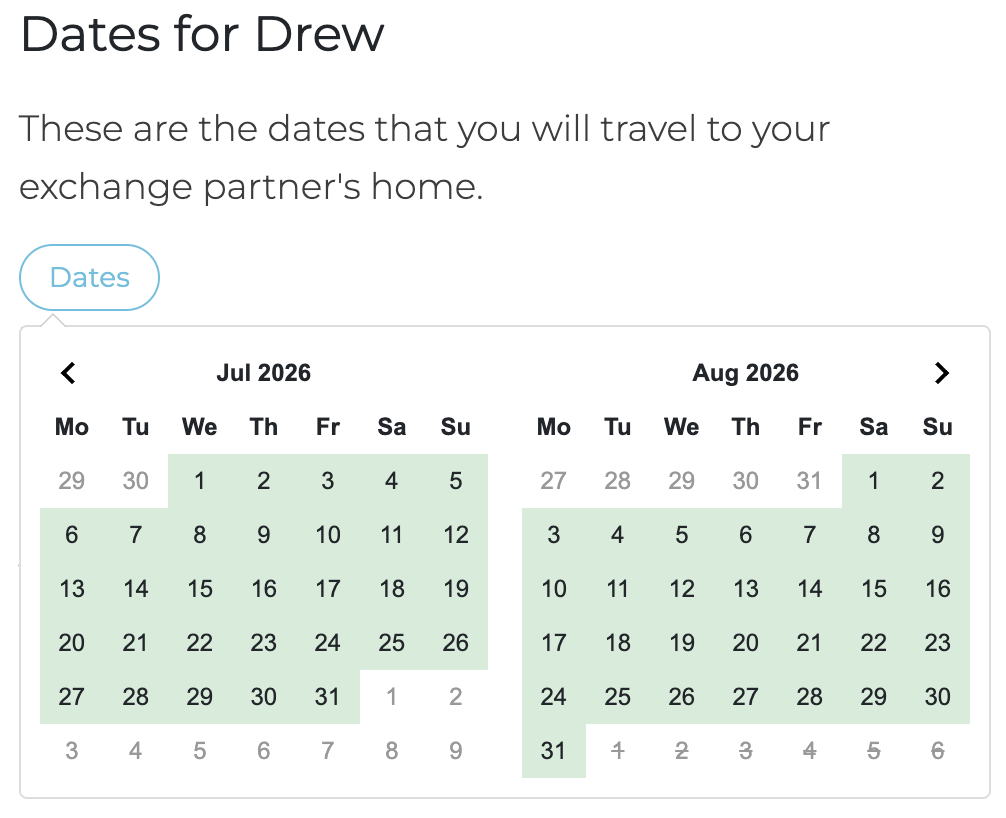
We've made a quiet but meaningful change to the way calendars work when you're putting together an exchange proposal. It's the kind of thing you might not notice straight away, but it solves a problem that's caused the occasional headache in our Community: accidental double-ups on your exchange commitments.
The old way (and why we changed it)
Until now, when you opened the calendar to choose dates for a proposal, every date was shown as available — whether the home was actually free or not. Most of the time this worked out fine, but every so often it led to two members proposing the same dates without realising the home was already committed elsewhere. Not a great moment for anyone.
So we've changed it. From now on, the calendars in proposals will only show dates that are genuinely available.
How it works, depending on the type of exchange
There are a few flavours of exchange on PLU, and the calendar behaves slightly differently for each.
Simultaneous exchanges
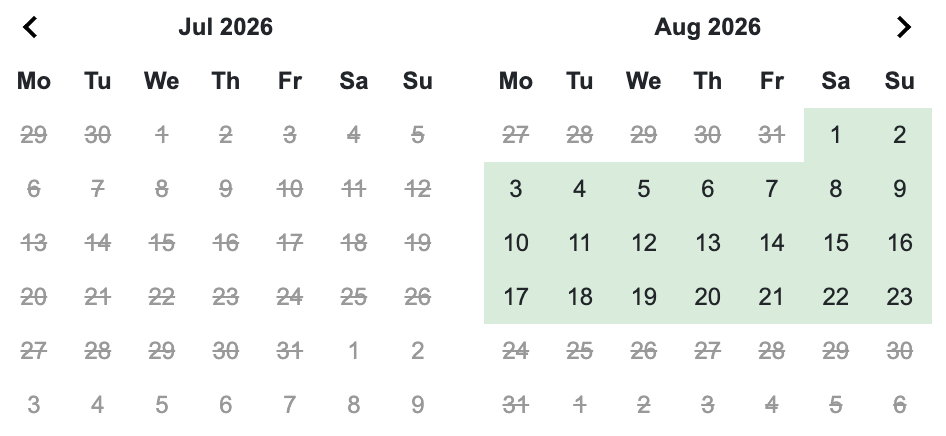
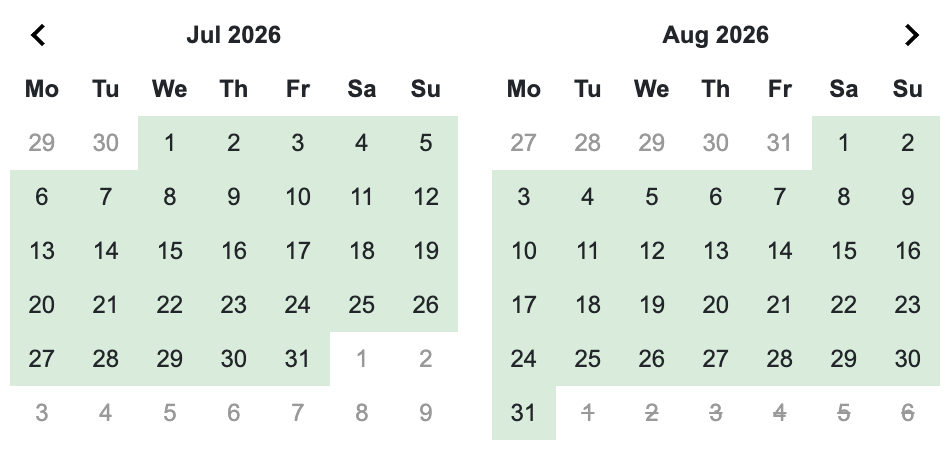
For a simultaneous exchange, both homes need to be free at the same time. So the calendar now shows only the dates where both your home and theirs are available.
Here's an example. Let's say I'm putting together a simultaneous exchange proposal to Joan. Joan's home is available all of July and August. Mine is unavailable in July, but free for the first three weeks of August. The calendar will show only the overlap — those first three weeks of August — because that's the only window when both homes are genuinely free.
Non-simultaneous exchanges
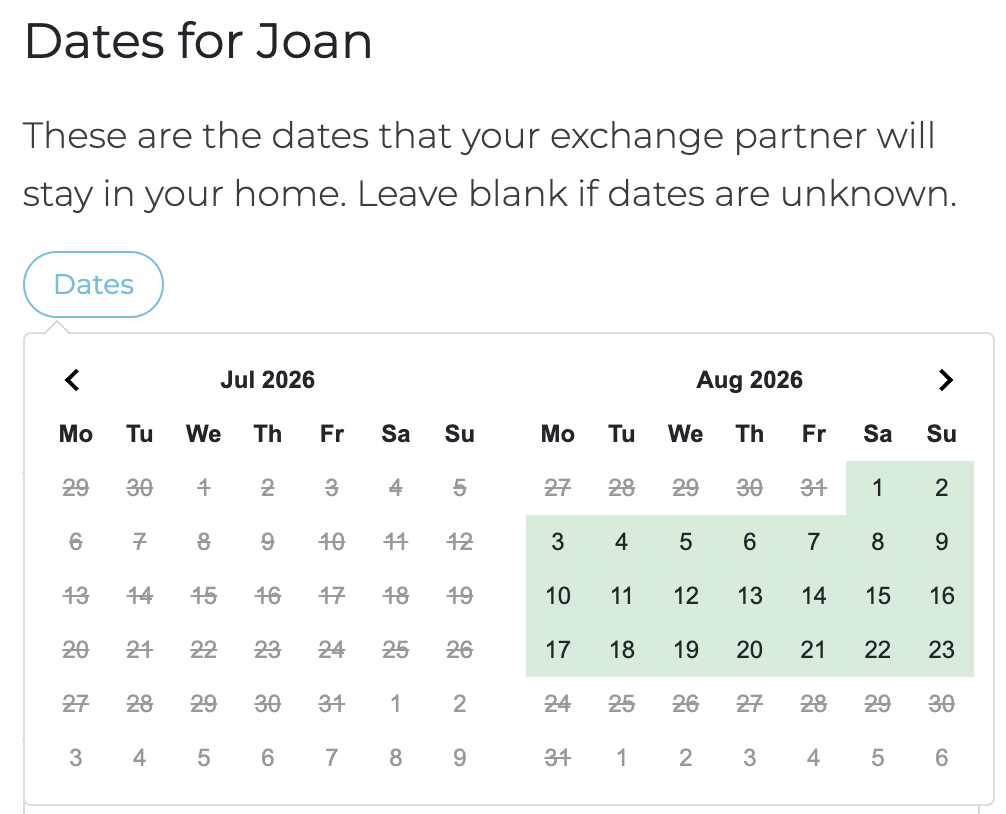
For a non-simultaneous exchange (where the two stays happen at different times), you'll now see two calendars instead of one.
The first calendar shows the dates available for the home you're proposing to.
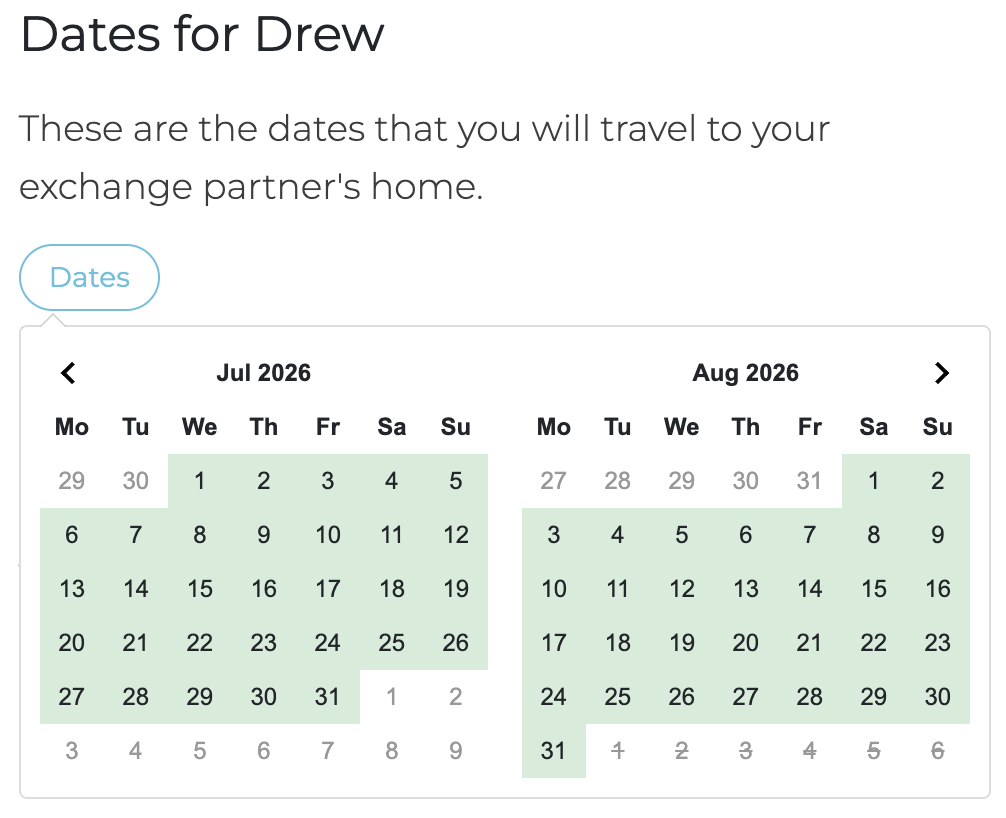
The second shows dates available for your home. Pick a window from each, and you're set.
Non-reciprocal and hospitality exchanges
These are one-way arrangements, so there's only one home's availability that matters. The calendar shows the dates that are available for the home you're proposing to.
What if the dates you want aren't showing as available?
This is the important bit. If the dates you'd love to propose aren't showing up as available, it means one of the homes (yours or theirs) isn't open during that window.
The fix is straightforward: have a friendly chat with the host and ask if they'd be willing to open up those dates. They may well be happy to — sometimes a calendar just hasn't been updated, or a tentative hold is no longer needed. Once the dates are made available, you can go ahead and put your proposal together.
Why we think you'll like it
The whole point of this change is to give you confidence that the dates you're proposing are real. No more crossed wires, no more "oh — I'd already promised that week to someone else" emails. Just a cleaner, clearer way to plan your next exchange.
As always, if anything's not behaving the way you expect, Member Support is right here.
Your New Home Page: Introducing the PLU Member Dashboard
NextThe World's Most Walkable Cities — And Why They're Perfect for Home Exchange
Comments (11)
Log in to join the conversation.

Thanks for this Drew. it will help me a lot.

We would welcome the ability to Edit Availability or Unavailability entries in the Calendar. This becomes handy to do updates on Start and End Dates and in case of Availability, update the exchange Type or add a comment that was not included at time of creation. We now can only Delete and Create in the Calendar.
Always happy to see improvements of users experience! Thanks

Bitte ändert das wieder. Vorher war es deutlich besser. Wir sind zeitlich etwas flexibel und ich sehe jetzt überhaupt nicht mehr, ob unsere Unterschiede beim Angebot vielleicht nur in wenigen Tagen liegen oder ob der andere auch eine Zeit anbietet auf die ich auch ausweichen könnte. Ich finde, die neue Lösung ist eine deutliche Verschlechterung. Ich sehe kaum noch Zeit, in denen ich tauschen könnte.

Translating your comment: "Please change this back. It was much better before. We have some flexibility with our schedules, and now I can't see at all whether our differences in availability are only a matter of a few days, or whether the other person offers a time I could also use. I think the new solution is a significant step backward. I can hardly see any time I could swap appointments with." I'd like to take this up as a support conversation (https://peoplelikeus.world/help) to better understand your concern. The new system simply makes dates that are unavailable (either because they were explicitly made unavailable or because the home is unavailable due to an exchange) disabled so they can't be selected for a proposal. We found that, occasionally, people made mistakes with accepting exchanges for dates that had already been committed elsewhere. But please start a support conversation with a specific example so we can talk you through it.

Does this mean that if I don’t expressly say my home is available I can’t organize an exchange? I struggle with this as for one of my homes availability depends on whether it is hospitality, how many people are staying, if I can secure alternative accommodation for the desired time, the length of the proposed exchange, etc. It’s never black & white and I try to accommodate a reach out if I can but all the variables have to come together.
Hi Andrea, the important part is that dates that are unavailable - either because you made them unavailable or because they have an exchange agreed for the dates - will not be available for an exchange. It's always better if you explicitly make the dates available and, if you do, we'll colour those dates green because we know they're available. If you don't and just leave them blank, they'll still be available but we'll leave them uncoloured to better reflect our level of confidence that the dates are available.

I struggle to use the calender. We are retired so technically always available. Plus we have often done surprise exchanges that have come out of the blue. Struggling with this. Any suggesons?
Yep, just go in once a year or two and add "available" time for all the dates. The reason is that we don't want to make assumptions. Some people don't update the calendar just .. because .. and we can't make assumptions that a lack of updates means that your place is always available. Add "available" time, and we know that's what you've intended. It works for Picks and for reverse search.
